Give your Desktop a Mozaic Touch

Experience the Windows 8 Metro Stlye UI on your Computer

Windows 7 God Mode

Get an Advanced Control Panel in Windows7 by enabling God Mode

Download Internet Explorer 9

Enjoy The Internet in a New and Secure Way

Microsoft Office 2010 Professional Activation

Activator for Microsoft Office 2010 Professional 100% Working..!!

Flash Wallpapers for Mobile

More than 175 Flash/SWF wallpapers for Mobile with System Info

Monday, December 26, 2011

Create a Flip3D Taskbar Icon in Windows 7

Flip3D was a fun and cool looking feature in Windows Vista that can be very useful for switching between windows. With the improved Windows 7 taskbar, Flip3D was replaced with improved thumbnails and Aero Peek. Those are both good alternatives but I like the speed of viewing all my open windows at once and switching with just two clicks.

This article will show you how to create a Flip3D icon on the Windows 7 taskbar:
 
 
  • Right click on the Desktop and select New and then Shortcut.
  • Type in RunDll32 DwmApi #105 in the location box and click Next


  • Type in Flip3D as the Name and click Finish.
  • You will now have an shortcut on the desktop that will launch Flip3D but it has the wrong icon. 
  • Right click on the Flip3D shortcut and select Properties.


  • On the Shortcut tab click the Change Icon button. 
  • Change the Look for icons in this file text box to C:\windows\explorer.exe and it Enter.  The Flip3D icon will now be available. Select it and click OK.


  • Click OK to close out the shortcut properties window.
  • Finally, just drag and drop the new shortcut on the Windows 7 taskbar to pin it. 
  • Now click on it and see the magic. :)

Saturday, December 24, 2011

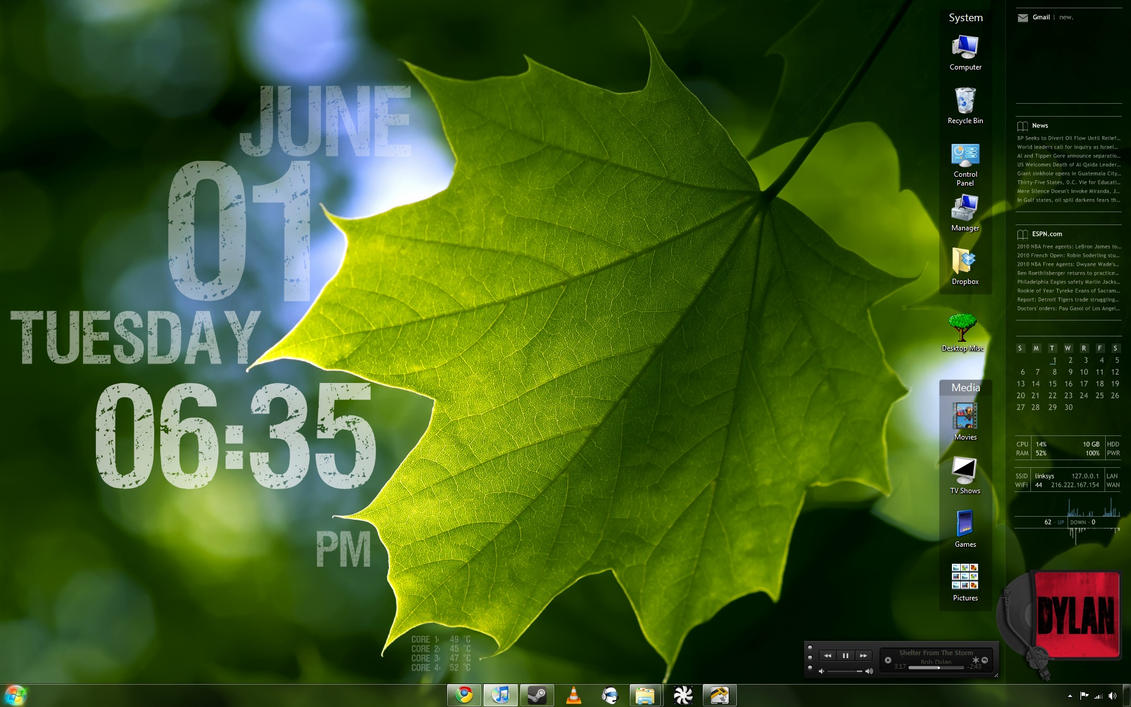
Customize your Desktop : Rainmeter

What's on your desktop?


 Rainmeter displays customizable skins, like memory and battery power, RSS feeds and weather forecasts, right on your desktop. Many skins are even functional: they can record your notes and to-do lists, launch your favorite applications, and control your media player - all in a clean, unobtrusive interface that you can rearrange and customize to your liking. Rainmeter is at once an application and a toolkit. You are only limited by your imagination and creativity. Rainmeter is open source software for Windows XP/Vista/7 distributed free of charge under the terms of the GNU GPL v2 license.

Download Rainmeter

Tuesday, December 20, 2011

Denial of Service Attack Vulnerability in Windows Phone 7.5

          Microsoft's range of Windows Phones suffer from a denial-of-service attack bug that allows attackers to reboot the device and disable the messaging functionality on a device.
 
          A malicious SMS sent to a Windows Phone 7.5 device will force it to reboot and lock down the messaging hub. WinRumors reader Khaled Salameh discovered the flaw and reported it to us on Monday. WinRumors said tests revealed that the flaw affected a variety of devices running different builds of the mobile operating system. A Facebook chat message and Windows Live Messenger message will also trigger the bug.
 
          Both Apple and Google have suffered from SMS bugs with their iOS and Android devices. Security researcher Charlie Miller discovered a flaw in the iOS 3.0 software that allowed attackers complete control over an iPhone at the time. Android-based phones also suffered in the SMS attack, but attackers could only knock a phone offline rather than gain full access.

          Microsoft representatives did not immediately respond to a request for comment, but WinRumors says it is working with the tipster to privately reveal the flaw to Microsoft.